Your iPhone's Accelerometer Has a Fingerprint
Every MEMS sensor has a tiny manufacturing defect that makes it unique. I built an iOS app to measure it — and found that two devices are as easy to tell apart as people's faces.
Every iPhone accelerometer is broken in exactly the same way, every time.
Not broken enough to matter for apps. Broken just enough to be unique.
When you set your phone completely still, the accelerometer should read zero. It never does. There's always a small residual value — a few thousandths of a meter per second squared — that never goes away. It's not noise. It's not drift. It's a hardware calibration error that was baked in at the factory, and it's different for every device.
This is called sensor bias. And it turns out it's a surprisingly useful device fingerprint.
The Physics
MEMS accelerometers — the kind inside every phone — are tiny mechanical structures etched into silicon. A proof mass is suspended by microscopic springs. When the device accelerates, the mass moves, and the displacement is measured by a change in capacitance.
The problem is that no two microscopic structures are identical. Silicon etching has tolerances measured in nanometers. The spring stiffness, the mass geometry, the electrode spacing — all of these vary slightly from chip to chip. The result is that each sensor has a fixed offset: a constant value it adds to every reading, regardless of the actual acceleration.
This is a Physical Unclonable Function (PUF). Military hardware uses the same principle to create unforgeable device identity tokens. The chip's physical imperfection is the key — and you can't copy a physical imperfection in software.
The Experiment
I built a small iOS app, SensorPrint, to measure this bias. The setup is straightforward: sample CMDeviceMotion at 100Hz for five seconds while the device is still, then compute the mean. The mean is the bias — the systematic offset that remains constant across measurements.
The design turned out to matter more than I expected.
First attempt: The values were all over the place. One run gave 0.006557 m/s² on my iPad. The next gave 0.005867. The drift was too large to be useful.
The cause was obvious in retrospect: I was holding the button when I started recording. My hand was resting on the device. Hand pressure — the slight weight of fingers on glass — was pushing the sensor reading up by a few millinewtons. Enough to swamp the signal.
Fix: Three-second countdown before recording starts. Hand off the device before the measurement begins.
Second attempt: Better, but still inconsistent. The first run of a session was reliably different from subsequent ones. Run 1 read 0.002908 m/s² while runs 2–4 stabilized around 0.003845 m/s².
This is thermal equilibrium. MEMS sensors change behavior as they warm up. The first measurement after the app launches — or after a long idle period — catches the sensor in a cold state. Subsequent measurements, taken after the sensor has been active for a few seconds, are stable.
Fix: Auto-run mode with two-second settling intervals between measurements. Discard the first run.
Third attempt: This is what the data looked like after fixing both issues.
Results
Five consecutive measurements on each device, auto-run mode, device flat on a table:
iPhone (iOS 26.4)
Run 1   0.003202
Run 2   0.003149
Run 3   0.003137
Run 4   0.003165
Run 5   0.003084

Mean:   0.003147 m/s²
Drift:  ±0.000059 m/s²
SNR:    53x
iPad (iOS 17.6)
Run 1   0.004626
Run 2   0.004707
Run 3   0.004759
Run 4   0.004261
Run 5   0.004492

Mean:   0.004569 m/s²
Drift:  ±0.000249 m/s²
SNR:    18x
The two devices are 45% apart in their Z-axis bias values. Each device's measurements are tightly clustered around its own mean, with drift well below the inter-device difference. You could write a simple classifier — if the bias is below 0.004, it's the iPhone; if it's above, it's the iPad — and it would be correct every time with these measurements.
That's what uniqueness looks like. The signal-to-noise ratio tells you how much margin you have. iPhone at 53x means the measured bias is 53 times larger than its own measurement error. A spoofer would need to fake the value within ±0.000059 m/s² to impersonate this specific iPhone.
What This Means for Fraud Detection
Device fingerprinting for fraud detection usually relies on identifiers that can be reset: vendor IDs that change on reinstall, IP addresses that change with a VPN, system properties that can be faked with a jailbroken device.
Sensor bias is different. It doesn't live in software. There's no API to set it. You can't change it by wiping the device. The only way to fake it is to hook CMMotionManager at runtime and return fabricated values — which is detectable with standard RASP techniques.
A fraud system that incorporates sensor bias as one signal gets something that survives reinstall, survives VPN, and survives most software-level spoofing attempts. Not a silver bullet — but a significantly higher floor.
Open Questions
This is two devices. A real study needs more.
The questions I haven't answered yet:
Uniqueness at scale. With two devices 45% apart, the signal looks clean. With a hundred devices, what does the distribution look like? Do devices from the same manufacturing batch cluster together?
Stability across time. I measured over minutes. Does the bias change over days, weeks, a year? Does it shift as the device ages and the MEMS structure fatigues?
Reinstall stability. The bias is hardware — it shouldn't change across app reinstalls. But CMDeviceMotion uses sensor fusion with a software calibration layer. Does iOS's calibration state affect the measured bias? This needs to be tested.
Acoustic attack surface. MEMS accelerometers can be affected by sound at their resonant frequency — this was demonstrated in the WALNUT attack (Fu et al., 2017). A system relying on sensor bias should account for the possibility of acoustic injection. Interestingly, resonant frequency is also device-specific, which suggests it might be usable as a second fingerprint dimension, not just an attack vector.
The experiment is simple enough that all of these are testable. SensorPrint is open to extend.
SensorPrint source: github.com/boska/SensorPrint — CoreMotion sampling app for iOS sensor bias research.
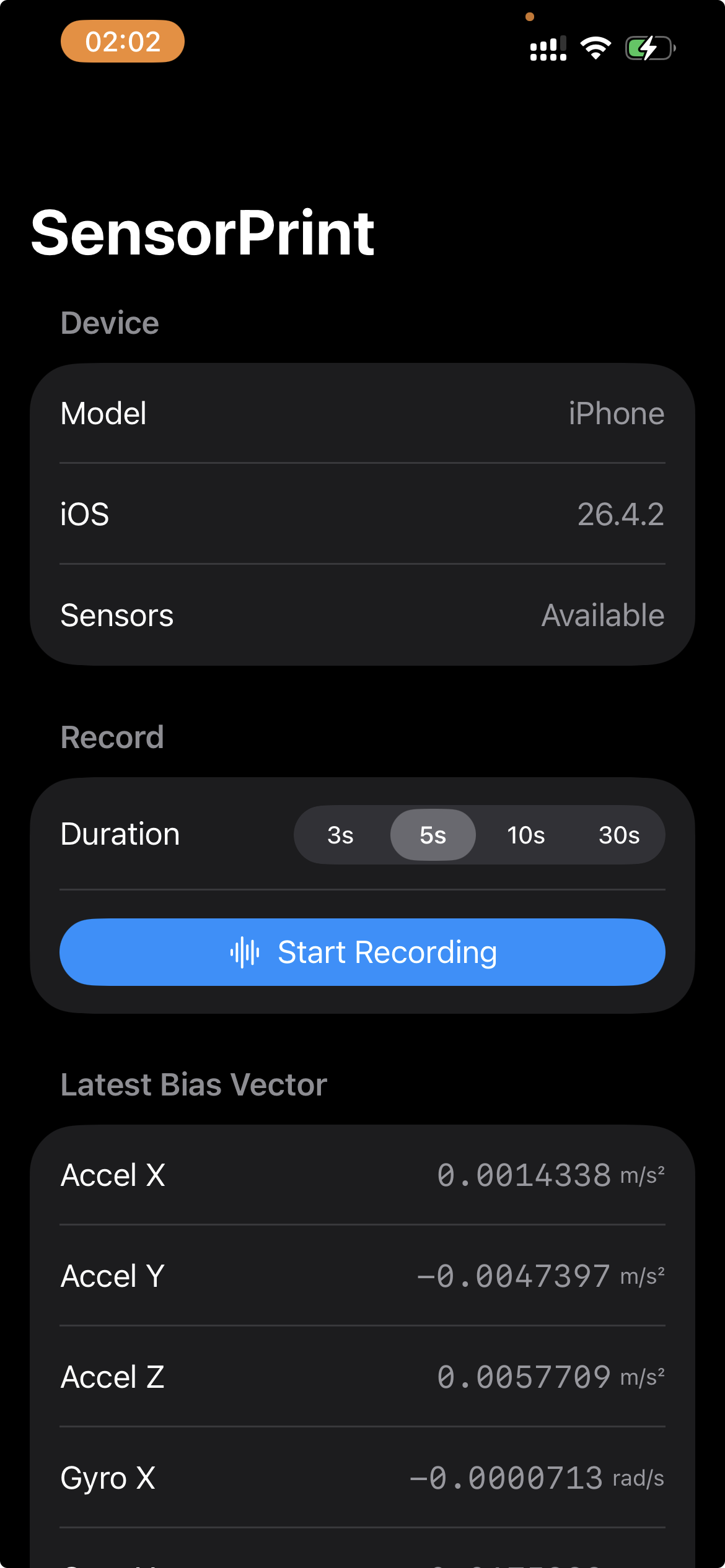 | 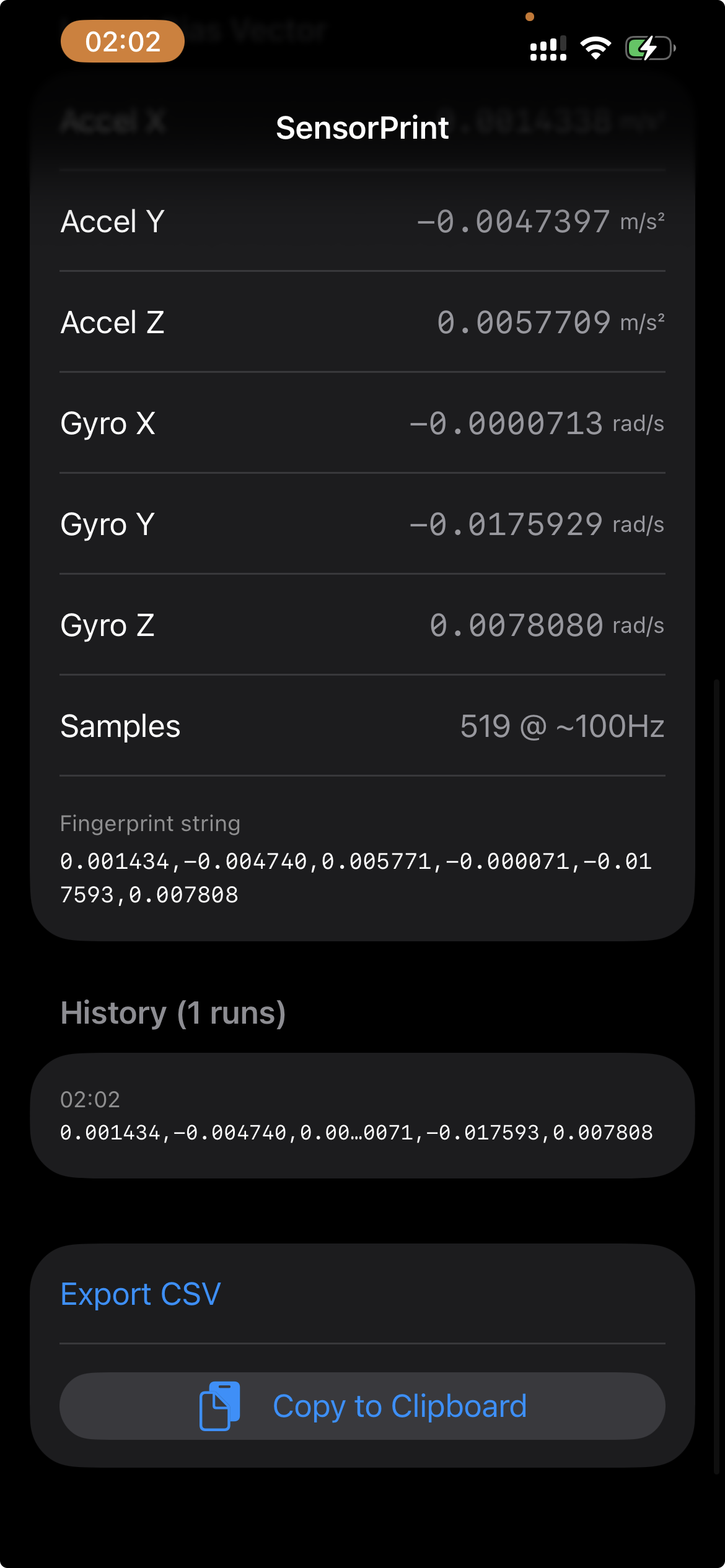 |
Stay in the loop
New posts on mobile security, jailbreaks, and iOS reverse engineering.